
Published 2026-10-29 · Last updated 2026-10-29
If your Google Business Profile shows a Facebook Messenger chat option you never added, Google most likely added it. According to Search Engine Roundtable, Google has been emailing some businesses that it put a Messenger chat link on their profile, and the messages that link starts land in your Facebook Page inbox, not in Google. Optimus Business Solutions, a web design and custom AI agents company in Salem, New Hampshire, walks through what changed, how to check your own profile in about two minutes, and how to make sure every one of those messages gets an answer.
What did Google change on business profiles?
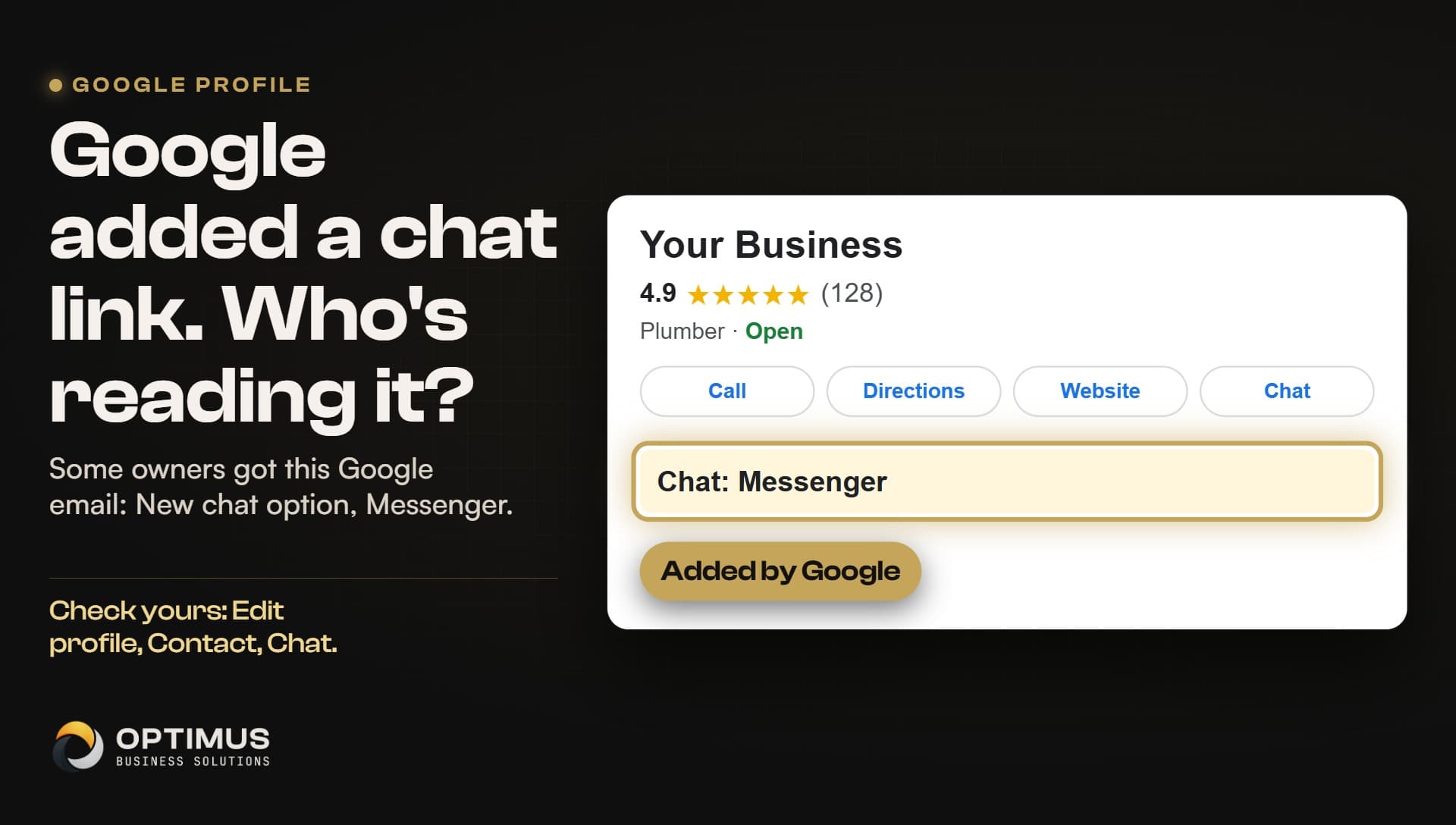
On October 28, 2026, Search Engine Roundtable reported that Google is emailing businesses to say it is adding Facebook Messenger links, the short m.me links that open a chat with a Facebook Page, to their Google Business Profiles. The evidence is a Google email that a local marketer in Canada posted on X on October 25, 2026. We read that email ourselves. It is Google's normal notice that a profile has been updated, and the changed line reads: New chat option, Messenger, followed by the link.
Google's notice says profiles get updated either through user feedback or its automated systems, and that Google will double-check those details with the owner. In plain words: the owner did not add the Messenger option. Google did, and told the owner by email afterward.
To be fair about what is known, this is early. The report rests on one email, Google has made no public statement about Messenger links, and nobody has published how many profiles are affected, which countries, or exactly how the option looks to a customer searching on a phone. What is clear is the field it went into: the chat option on the profile, not the list of social profiles.
Didn't Google already have a chat button?
It did, and it is gone. According to Google's Business Profile help center, Google turned off its own built-in Business Profile chat on July 31, 2024. Messages no longer go through Google itself. Since then, the chat option on a profile can send customers to a text message or to WhatsApp, and in some places to Messenger.
That history matters because it changes the question. Google is not rerouting an old Google chat button to Facebook; that button no longer exists. Google is filling in the chat option with a destination it found. When that destination is Messenger, the conversation leaves Google entirely and lives in your Facebook Page inbox, which many owners rarely open.
Has Google filled in the chat field for owners before?
Yes. In June 2026, Search Engine Roundtable reported that Google added WhatsApp numbers to the chat field of many business profiles in bulk, including some landlines that cannot receive a WhatsApp message at all. A Google product expert called that one a bug, and owners were able to remove the numbers once it was fixed. The lesson for owners is simple: Google can and does fill in contact details on your behalf, so the profile is worth checking after any email from Google about an update.
How do I check my Google Business Profile chat setting?
This takes about two minutes, and every step comes from Google's own help pages. None of it needs a developer.
- Sign in to the Google account that manages your Business Profile and open the profile (searching your business name while signed in works).
- Choose Edit profile, then Contact, then Chat. This shows which chat option customers are offered, and you can change it there.
- While you are in the editor, look for anything shown in blue. Google's help center says blue marks information Google changed.
- Check your email for a message from Google saying your Business Profile has been updated. When Google suggests an edit, Google's help center says you have four days to review it before it can go live.
- If the chat option points to Messenger, decide whether you want it. If you keep it, make sure someone watches the Facebook Page inbox and that message notifications are on for that person's phone.
- If you would rather customers text you, point the chat option at a number you actually answer. Do not leave a chat option that sends customers somewhere nobody looks.
Why does an unanswered chat matter so much?
Because a chat nobody answers is a missed call by another name. The customer reached out, nobody replied, and they moved on to the next business in the results. Most people searching for a plumber, an electrician or a roofer are not loyal yet. They want the first business that answers.
There is research behind this. In a Harvard Business Review audit of 2,241 US companies, 23 percent never answered a web lead at all, according to the figures as quoted by Yesware. The same research found that companies that followed up within an hour were nearly seven times as likely to qualify the lead as companies that waited even an hour longer. That study is about web leads, not Messenger or Google chat, but the lesson carries over: speed wins the job, and for a contractor on a roof or under a sink, an hour passes quickly.
| Way a customer reaches you | Where it lands | Who has to watch it |
|---|---|---|
| Phone call from your Google profile | Your business phone | Whoever answers the phone |
| Web form on your website | Your email or CRM | Whoever reads that inbox |
| Chat option set to text message | Your phone's messages | Whoever carries that phone |
| Chat option set to Messenger | Your Facebook Page inbox | Whoever manages the Facebook Page |
What can a small business do so no message goes unread?
Start with the two-minute check above, then count your inboxes. Most small businesses have more doors than they think: the phone, voicemail, the website form, email, the Facebook Page, Instagram messages, and now possibly a Messenger link on Google. Each one needs a person, or a system, watching it.
This is the problem we build for at Optimus. We build custom AI agents that answer every web form, missed call and message within a minute, take the customer's details, and hand the lead to the owner, so nothing sits unread while the owner is on a job. We run it on ourselves first: our own website has a chat assistant that answers visitors at any hour, and every conversation is saved where the founder reads it. Our mission is simple: big-company technology, built for the small businesses that actually do the work.
Common questions
Did Google add a Messenger link to my Business Profile?
It may have. According to Search Engine Roundtable, Google has been emailing some businesses that it added a Facebook Messenger chat option to their profile. Check your email for a profile update notice from Google, then open Edit profile, Contact, Chat to see what your profile offers customers.
Where do messages from a Messenger link on Google go?
An m.me link opens a Messenger chat with your Facebook Page, so those messages arrive in your Facebook Page inbox, not in Google. Whoever manages your Facebook Page needs to watch that inbox.
Does Google still have its own Business Profile chat?
No. According to Google's help center, Google turned off its built-in Business Profile chat on July 31, 2024. The chat option on a profile now sends customers to a text message, WhatsApp or, in some places, Messenger.
Can I change the chat option on my Google Business Profile?
Yes. Google's help center shows the chat setting under Edit profile, Contact, Chat, where you can see and change it. Information Google changed shows in blue in the editor.
Is Google doing this to every business?
Nobody knows yet. The report rests on one Google email posted by a marketer in Canada, and Google has made no public statement about Messenger links, so treat it as something to check, not something to assume.